By Suhas Das
Author
The OpenText Documentum platform is built on a four-layer architecture that separates content management capabilities, communication interfaces, user interaction, and enterprise integrations. This layered design ensures flexibility, scalability, and seamless integration with external systems.
1. Services Layer
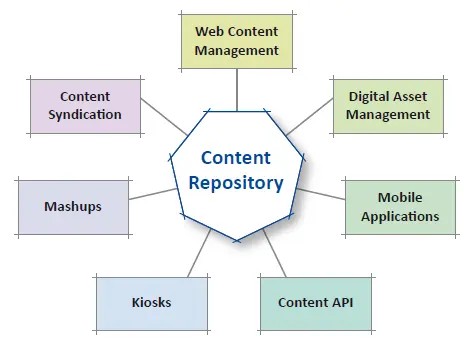
The Services Layer forms the foundation of the Documentum platform and is powered by the Documentum Content Server.
This layer is responsible for:
- Managing the content repository
- Handling core content operations (store, retrieve, update, delete)
- Enforcing security, permissions, and version control
Documentum uses a flexible content model, where:
- Documents consist of content files
- Each document has metadata (attributes) describing it
These metadata elements define:
- Properties (e.g., name, type, owner)
- Relationships between documents
- Search and retrieval criteria
Users rely on metadata to efficiently locate content within the repository. Additionally, this layer supports encryption, ensuring that sensitive information is protected from unauthorized access.
2. Interface Layer
The Interface Layer acts as the bridge between client applications and the Content Server.
Its key functions include:
- Enabling communication between clients and repositories
- Managing how data is packaged and transmitted across the network
- Providing standardized APIs for system interaction
This layer includes:
- Documentum Foundation Classes (DFC)
- Documentum Application Programming Interface (DAPI)
These APIs allow developers and applications to:
- Execute queries
- Manage documents
- Control workflows and permissions
Because of this abstraction, multiple applications can interact with Documentum without directly accessing the underlying repository structure.
3. Client Layer
The Client Layer represents the end-user side of the system.
It includes:
- Web-based interfaces
- Desktop applications
- Administrative tools
- Integrations with authoring tools
Examples include:
- Documentum WebTop
- Desktop clients
- Custom-built applications
These applications:
- Use services provided by lower layers
- Access the same repository and metadata dictionary
- Provide a consistent user experience across platforms
This shared architecture ensures that both web applications and Windows-based applications operate on the same underlying data model.
4. Application Layer
The Application Layer focuses on integrating Documentum with enterprise systems.
It provides:
- Content services for external applications
- Business process integration
- Collaboration across systems
Common integrations include:
- SAP
- CRM systems (e.g., Siebel)
- Email platforms (e.g., Lotus Notes)
- Enterprise portals
Through these integrations, users can access Documentum content directly داخل business applications.
Example:
A customer service representative using a CRM system can:
- View customer details
- Access related documents (contracts, bills, reports)
- Perform actions without leaving the application
At the same time, managers can review reports and workflows instantly, improving operational efficiency.
Conclusion
The four-layer architecture of Documentum provides a clear separation of responsibilities:
- Services Layer → Core content management and repository control
- Interface Layer → APIs and communication bridge
- Client Layer → User interaction and applications
- Application Layer → Enterprise integration and business workflows
This design enables organizations to build scalable, secure, and highly integrated content management solutions.