S
By Suhas Das
Author
358 views
That’s a common Windows Task Scheduler issue — it means the account you selected to run the task doesn’t have permission to “Log on as a batch job.”
Here’s how to fix it step-by-step 👇
Fix via Local Security Policy (for single machine)
🪜 Steps:
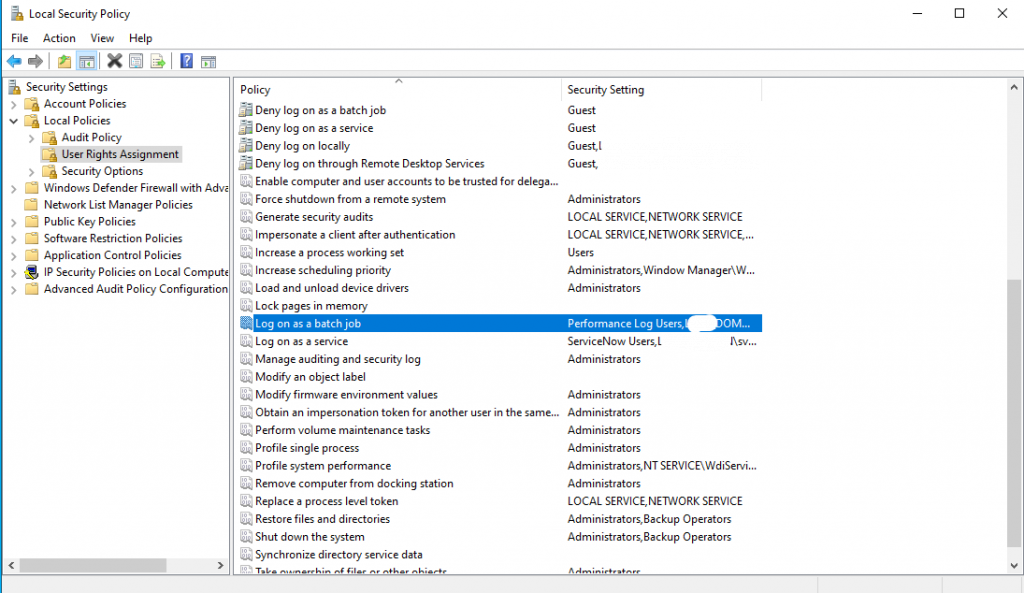
- Double-click it → Add User or Group…
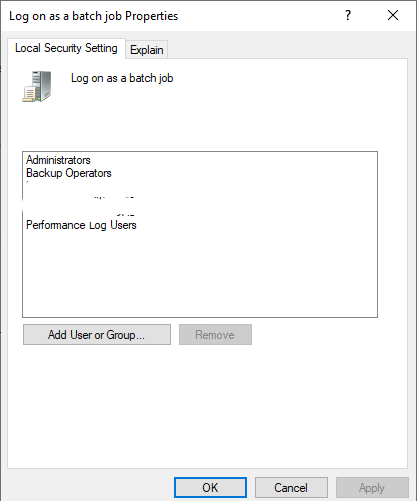
- Enter the account name you’re using in Task Scheduler.
- Click OK, then Apply.
✅ Now that account can run scheduled tasks.